Platto
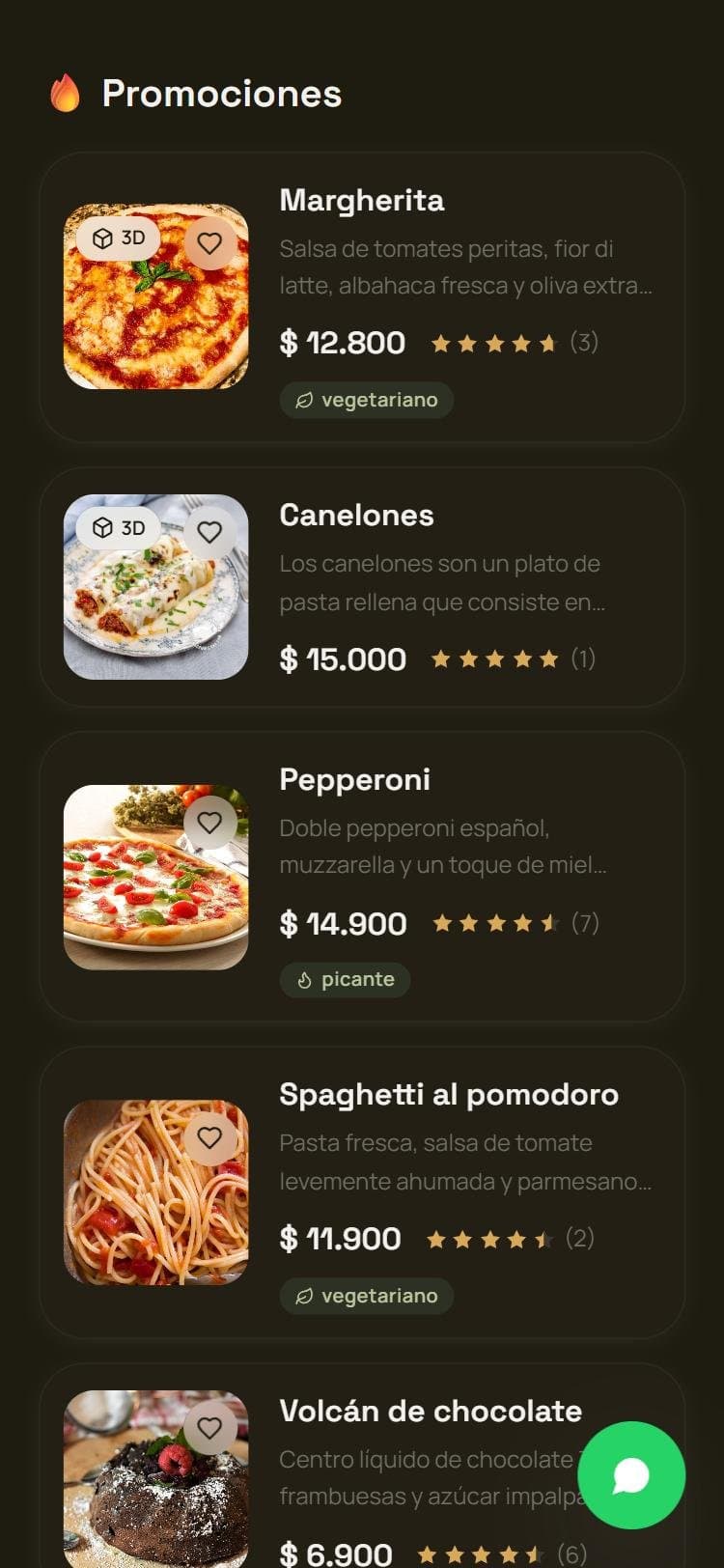
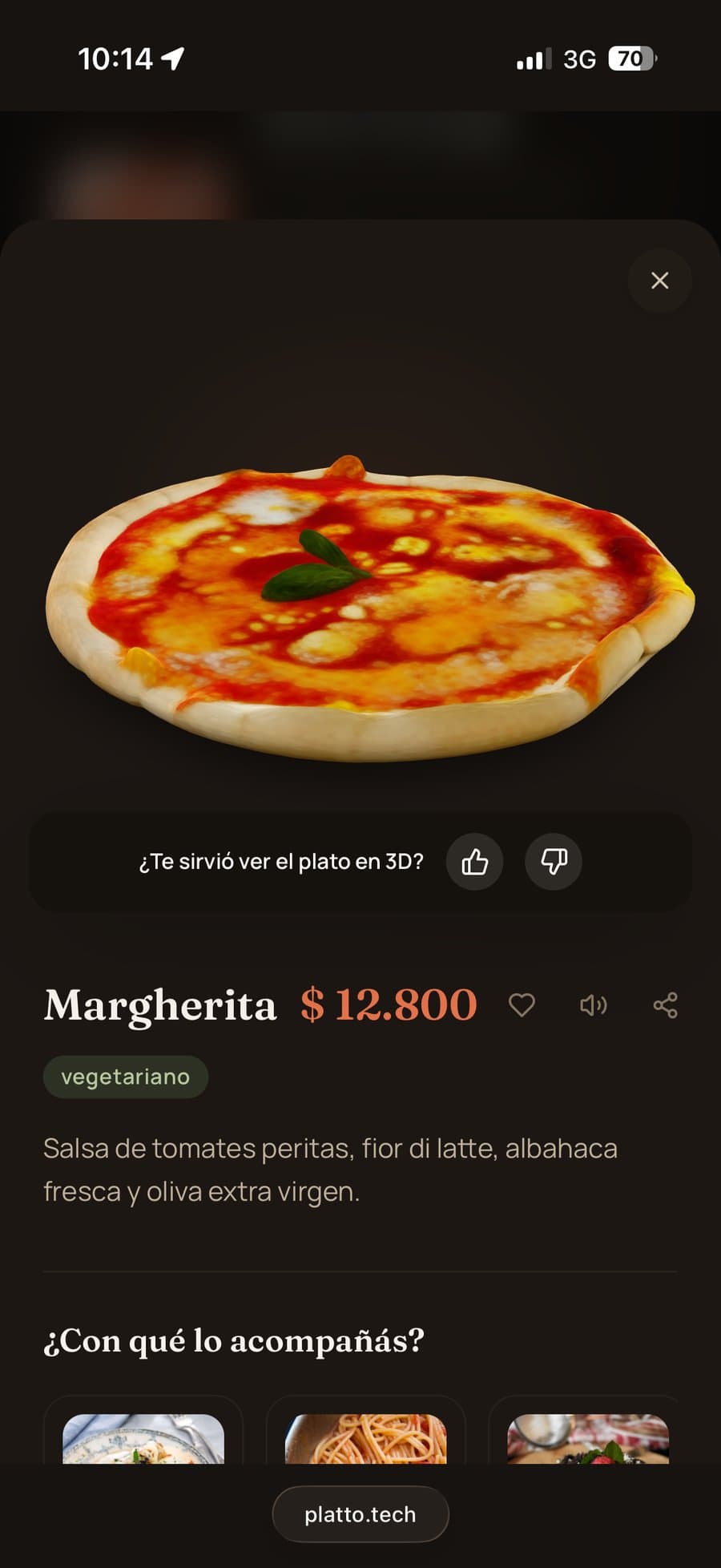
A menu where every dish shows up in 3D and augmented reality, with nothing to install.
- Role
- Founder · the whole product
- Period
- Jul 2026 — now
- Team
- Solo, with AI as copilot
- Status
- In development
Stack: Next.js · TypeScript · Prisma · PostgreSQL · <model-viewer> · WebXR · Vercel · Playwright · Python
platto.tech ↗Live demo ↗The customer scans the table's QR code, opens the menu in the browser and can spin each dish in 3D or see it served on their table through the camera. The hard part wasn't the menu: it was getting 3D that actually looks like the real dish.
The problem
In most restaurants you choose by looking at a name and a price, or a generic photo. Platto shows the dish: you spin it with your finger and, with one tap, it appears on your table at real size.
How it works
- The restaurant loads its menu from its own panel: categories, prices, hours, branches, allergens and languages.
- Each table has its own QR code and the menu opens in the browser, no app.
- The 3D and augmented reality use what each phone already has, Android or iPhone. If a phone can't place the dish on the table, the button simply doesn't show up.
The hard part: getting the 3D
This took me the most time, and it had a few turns.
1. One photo isn't enough
The first version built the 3D model from a single photo. It produced domes: a pizza ended up looking like a cake. For a menu where people order based on what they see, that doesn't work.
2. The reconstruction that never worked
I moved to reconstructing the dish from several real photos with an external service. In production it rejected every upload with a generic error and, since the code didn't keep the response, I didn't know why. When I actually read the docs, three integration mistakes of mine showed up. It worked after that, but every extra format, like the one the iPhone needs, cost one more scan per dish.
3. Building my own
I built my own reconstruction system. It worked, but each dish took 15 to 20 minutes and needed far more memory than the hosting allows, so I had to run it on a separate machine that processes the requests and sends back the finished model.
4. The fine print
Several tools I evaluated can't be used in a commercial product because of their license. I found out by reading the fine print before building on top of them, not after.
5. How many photos does it take?
Asking a restaurant owner for dozens of photos is a lot, so I ran an experiment to see how many are really needed. It came out quite a bit lower, but I ran it with a simulated dish rather than a real one, so I didn't change the product: it stays a hypothesis until I repeat it with real data.
6. Generating instead of reconstructing
I also tried models that generate the 3D with AI from a few photos, with an on-phone check that warns you if a photo came out blurry or dark before uploading it. None convinced me for production: either the result didn't look like the dish, or the viewer couldn't show it, or it was too expensive to run.
Today I upload the models myself from the admin panel while I validate the product. The automation is built and switched off: I'd rather do that than show a restaurant a dish that doesn't look like theirs.
The rest of the product
- Restaurant panel: menu, bulk pricing, per-table QR codes, multiple branches, dish of the day, combos, reviews and a monthly report with what gets viewed most.
- Security: each restaurant only sees its own data, and the login doesn't reveal which emails are registered.
- AA accessibility, read-aloud and high contrast on the public menu.
- Performance: I measured and fixed a landing-page animation that made scrolling stutter.
- A demo that starts with one command and opens on a phone through a QR code, to show Platto in person.
From the project · Notes